Third parties: definition
A third party is a partner company: customer, supplier or service provider.
In Beesbusy, the third parties can be added to projects or tasks.
In order to make queries on the third parties (search tool, filters), the third parties you create are a common reference applying to the scope of your subscription.
They are therefore managed by the account in charge of licence administration.
How to manage third parties
Create a third party
Go to the drop-down menu at the top right > Profile > Subscription Parameters > Third parties.
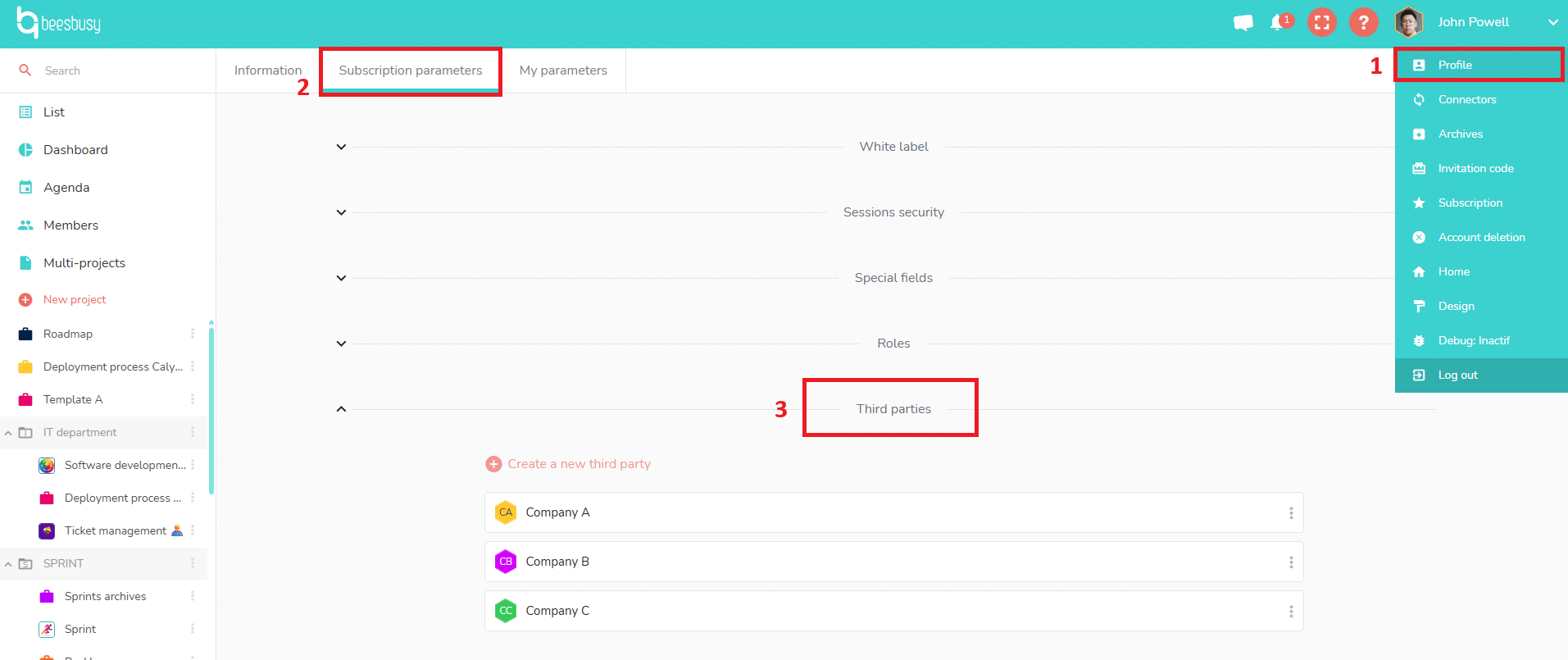
Click on “Create a new third party”.
A windows pops up, were you can mark various informations regarding this new third party. The name and the type of the third party are mandatory to create it.
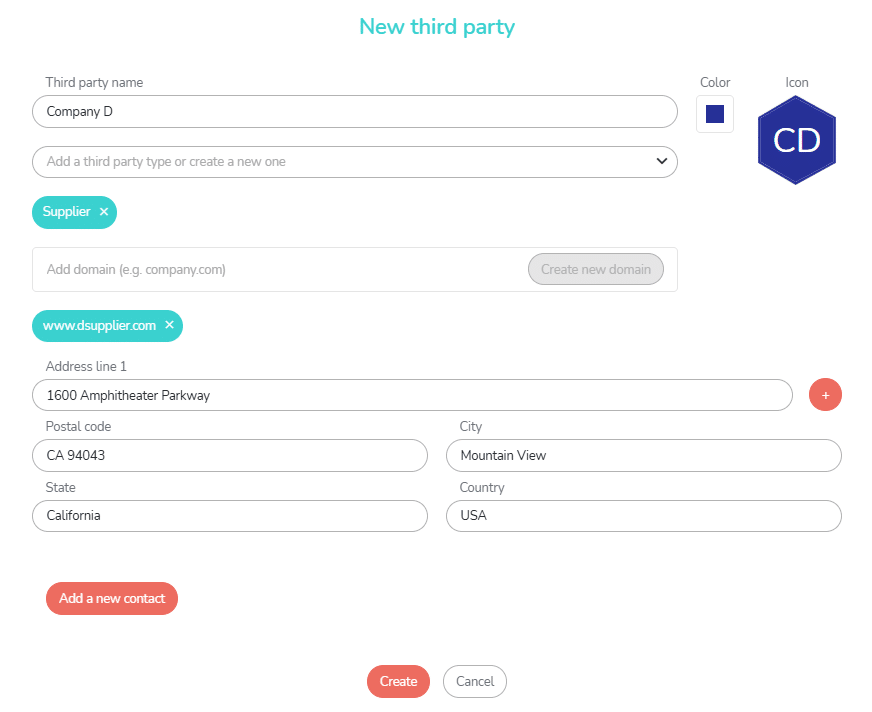
The you can add direction and contacts.
If you create one or more contacts, you can choose a contact as a principal contact by clicking on the star at the top left of the contact’s area:
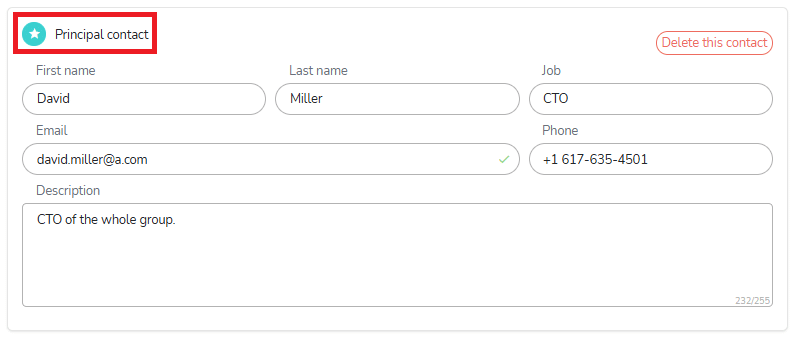
When you add a third party to a project or a task (see below), the principal contact will we displayed by default on the informations displayed with the third party.
Customize third parties
You can create speciald fields applying to the third parties:
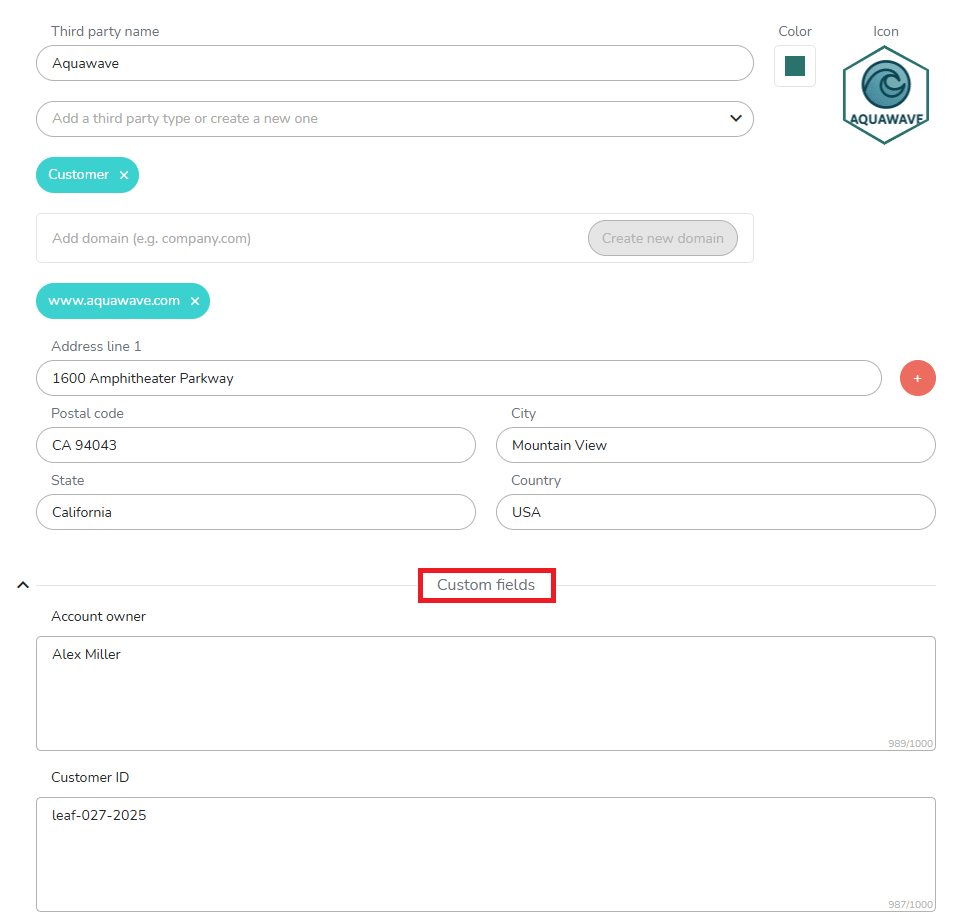
To know more about special fields, please see the following online help article:
https://www.beesbusy.com/resources/features/user-account-profile/special-fields/
Deleting third parties
It is possible to delete third parties from the repository created by the administrator from the subscription settings of his/her profile.
Simply click on the field menu and choose “Delete”:
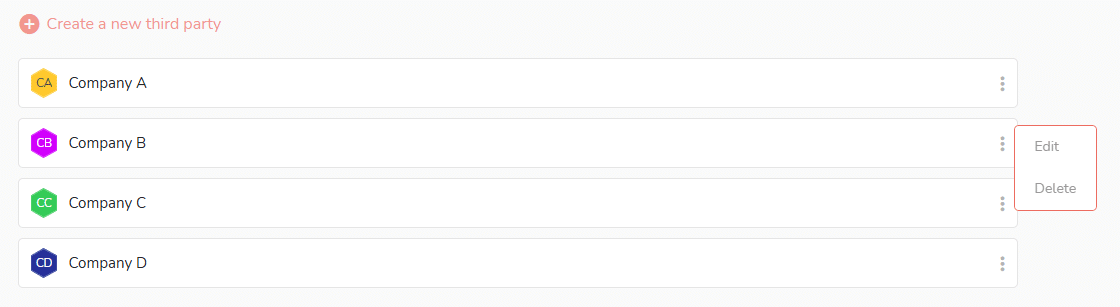
You can also edit a third party thanks to the same menu.
Using third parties
Adding a third party for the whole project
If you have Administrator rights on a project, you can choose a third party to be assigned to the project.
Go to the project where you want to add a third party, access the project settings, scroll down to the “Third party” section. Click on the ‘Select a third party’ drop down menu, and make your choice.
The selected third party is displayed with all his data:
- Type
- Adress
- Contact, by default the principal contact if there are various contacts. Then you can select another contact if you prefer.
- Special fields
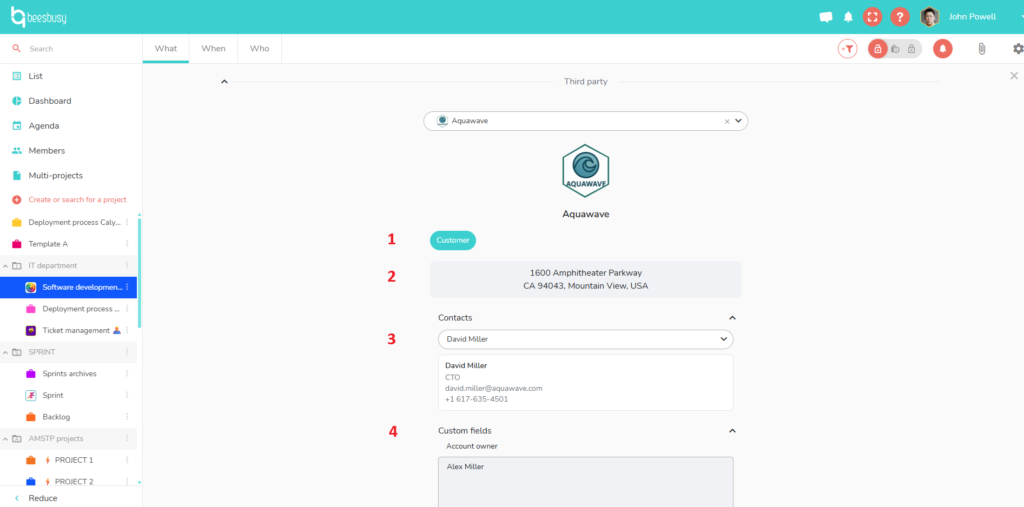
The third party you choose on the project will be assigned to all the tasks of the project:
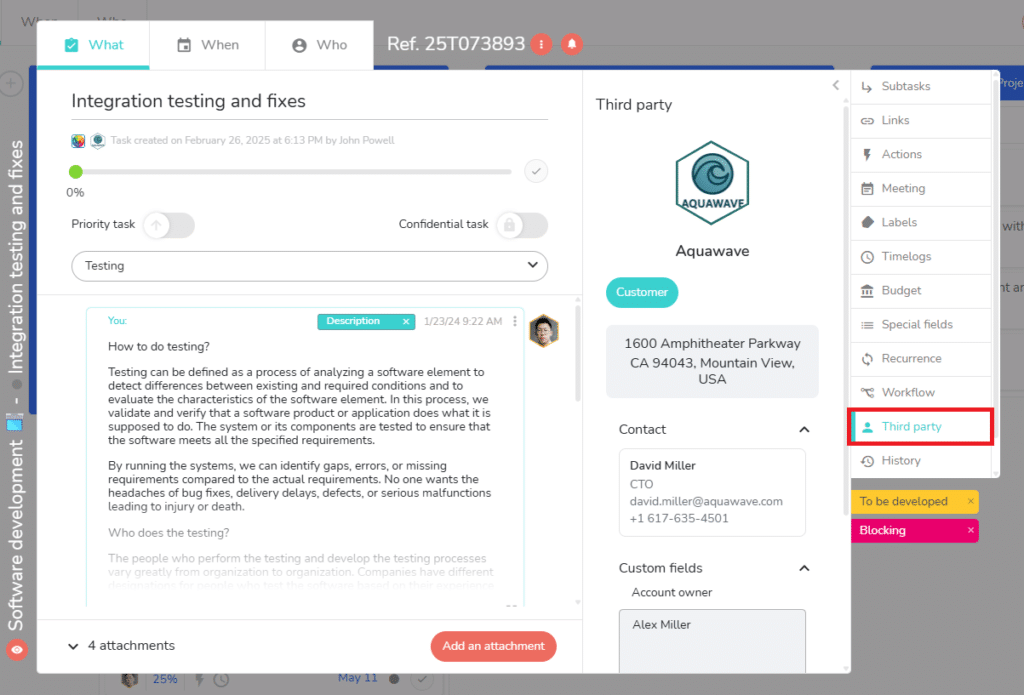
In this case, the third party can not be changed at the level of the task.
Adding a third parties directly to the tasks
If you want to be able to assign a third party to a task of a project, and another third party to another task of the same project, don’t assign a third party at the project in its settings.
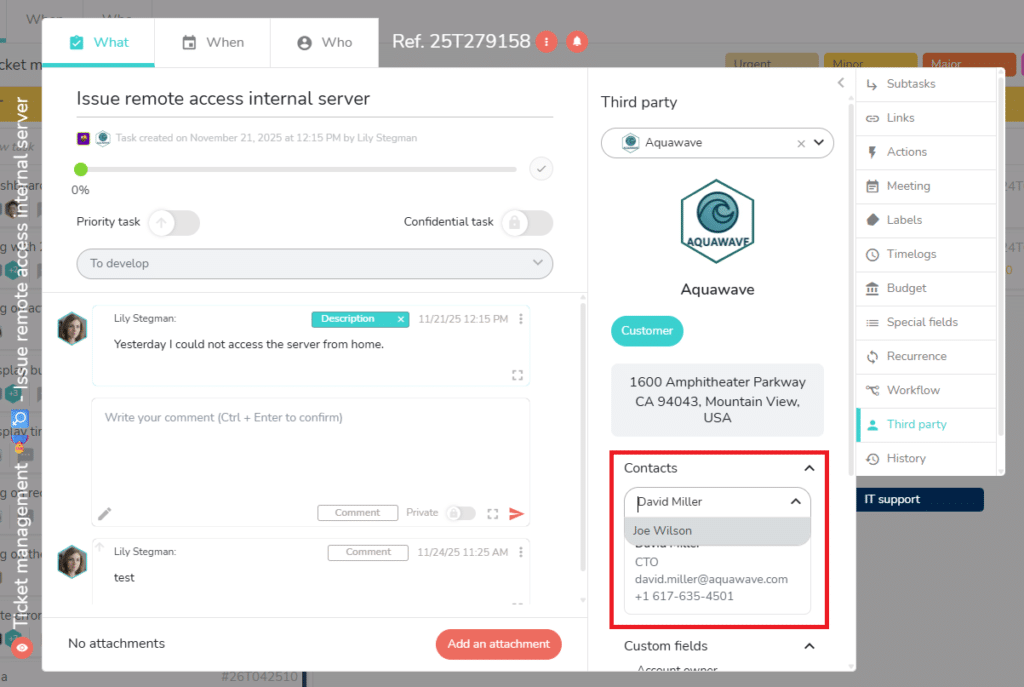
Just select the third party you want directly in the side panel of the task:
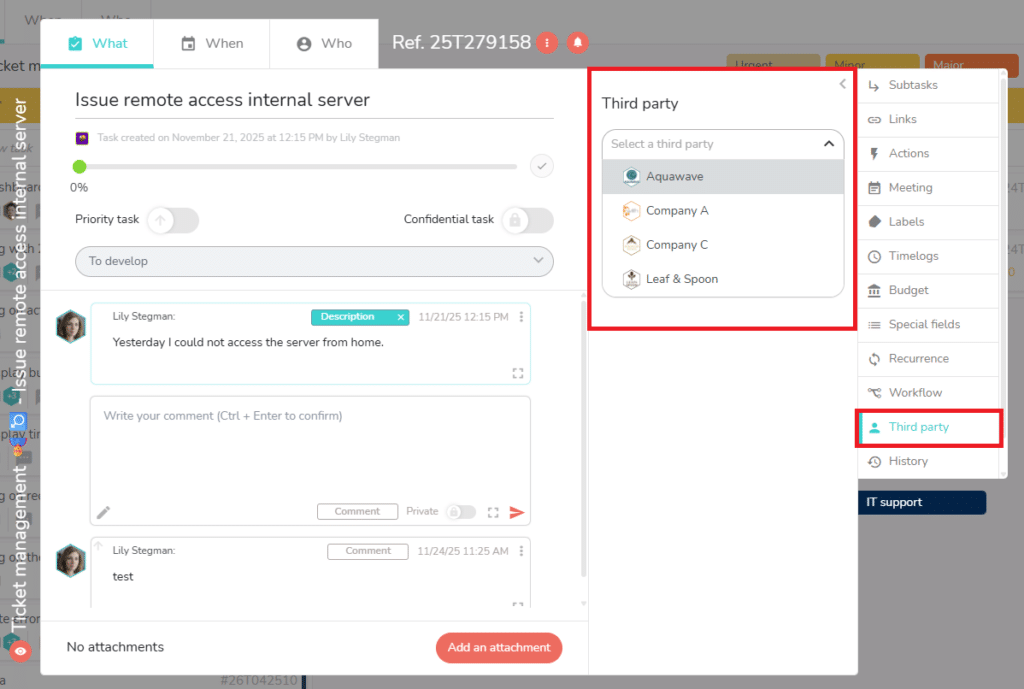
You can do it if you access the project with administrator or modification rights.
The thrid party will be displayed with all his data. The principal contact will be displayed by default if there is various contacts on the third pary, but you can display another contact if you prefer :
Removing a third party
After adding a third party to a project or a task, removing a third party is done in this way:
- On the project: access the project settings, go to the third party section, choose another third party or click on the X in the drop-down menu if you don’t any third party on the project. You can only remove a project’s third party if you are creator or administrator of the project concerned.
- On the task: access the third party panel of the task, choose another third party or click on the X in the drop-down menu if you don’t any third party on the task. You can only remove a task’s third party if you access the project with administrator or modification rights.
To go further:
- You can filter on third parties in project views or in multi-projects: https://www.beesbusy.com/resources/features/display/filters/
- You can display third parties on the tasks, thanks to the display options: https://www.beesbusy.com/resources/features/project/display-options-project/