How to access your profile
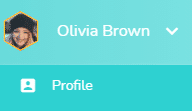
To access your profile, click on your name at the top right of the interface. A drop-down menu opens.
User drop-down menu > Profile
You can set up several elements of your profile, divided into several pages accessible thanks to the tabs:
- Information
- Subscription parameters (accessible only if your are the Beesbusy subscription administrator)
- My parameters
- Badges

In each pages, to display the detail of a section, click on the arrow  on the left. Your choices of open/closed sections are saved to allow you to keep open sections that you use frequently.
Information
- Profile picture: https://www.beesbusy.com/resources/features/user-account-profile/edit-profile-picture/
- Your information (First name, Last name, Organization, Position). Only First Name and Last Name are required.
- Password: https://www.beesbusy.com/resources/features/user-account-profile/how-do-i-change-reset-my-password/
- Device for the multi-factor authentification: https://www.beesbusy.com/resources/features/user-account-profile/security-options/
- Language of the interface: https://www.beesbusy.com/resources/features/user-account-profile/change-language-interface/
- Notifications settings: https://www.beesbusy.com/resources/features/buzz-notifications-features/notifications-settings/
- Special fields: https://www.beesbusy.com/resources/features/user-account-profile/special-fields/
- Budget
Subscription parameters (only for the subscription administrator)
- Subscription parameters, operating principles: https://www.beesbusy.com/resources/features/user-account-profile/subscription-parameters/
- Customize the interface and white label: https://www.beesbusy.com/resources/features/user-account-profile/set-up-white-label-customize-interface/
- Sessions security: https://www.beesbusy.com/resources/features/user-account-profile/security-options/
- Special fields: https://www.beesbusy.com/resources/features/user-account-profile/special-fields/
- Roles: https://www.beesbusy.com/resources/features/tasks/roles/
- Third parties
- Comments: https://www.beesbusy.com/resources/features/tasks/comments-task/
- Display options: https://www.beesbusy.com/resources/features/project/display-options-project/
- Autorised applications for public API
- Portal
- Active Directory Synchronization
My parameters
- Manage default working hours and “off” days for your projects: https://www.beesbusy.com/resources/features/user-account-profile/manage-default-working-hours-off-days/
-
Default subscriptions to automatic Buzz for my new projects
- My default display options for any new project (excluding duplication)
- Default settings for a new task in my new projects
-
Default time settings for my new projects
- Default working hours for my new projects