Go to your Profile, Information tab
User drop-down menu > Profile
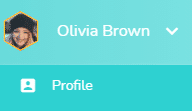
In the profile, go to the Information page.
Change your profile picture
Click on the stylus icon displayed when you hover your mouse over the hexagon next to your name.

Drag and drop a photo or click on “Open” to select a photo from your computer file.
Your picture will also be edited in the mobile app.