You can delete your Beesbusy account in two different ways.
In both cases, if you are managing a subscription, you will have first to cancel your subscription before to delete your account.
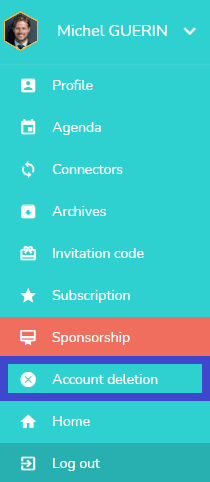
By the “Deletion account” proposal in your user drop-down menu
Requesting the deletion of your Beesbusy account directly from the account. Go to the drop down menu of the account and click on “Account deletion”.
By the email adress confirmation email
Using the link provided at the bottom of the email received when you created your account (in the email address confirmation request).
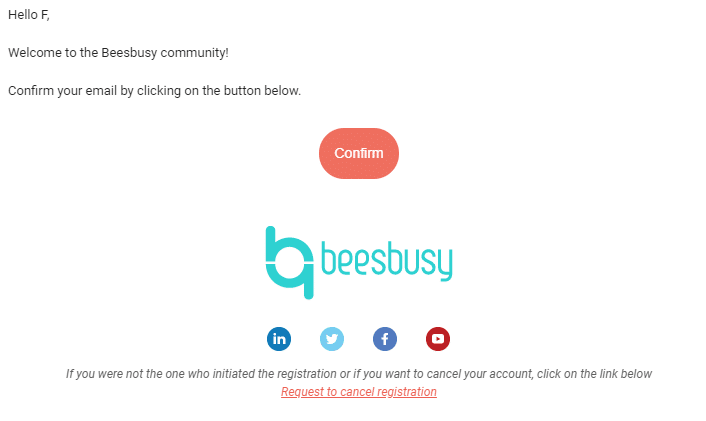
If you can’t find this email, you can send a message with your request to to beescontact@beesbusy.com
Once we have received your request, we will proceed with your account deletion.
Warning: once your account is deleted, all your data will be lost.