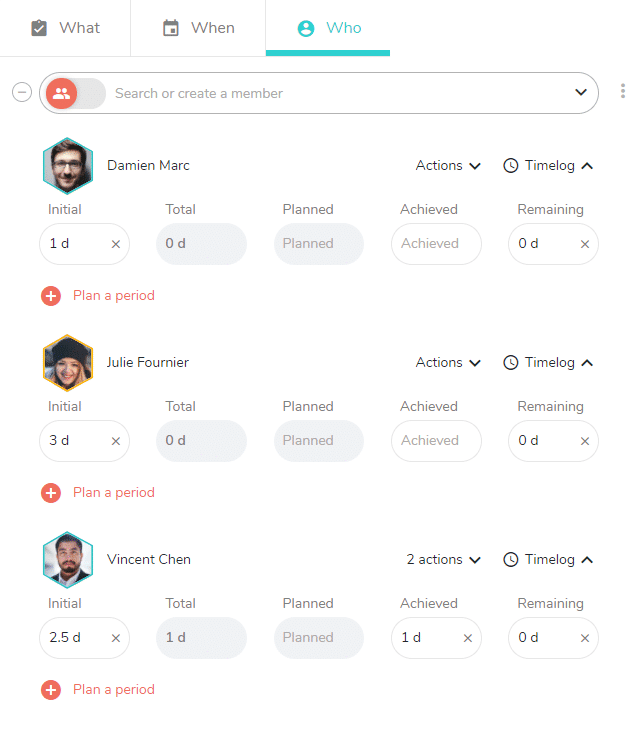
Confirmation message of time remaining at zero when you complete a task
You may have scheduled working time on a task, and want to mark the task as completed even if there is some remaining time left.
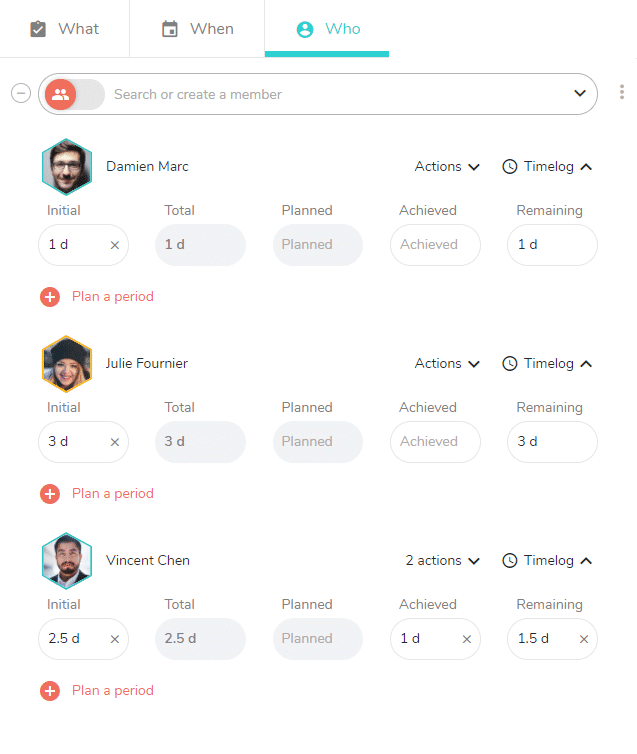
When you click on the button to mark the task as completed, a message indicating the remaining times will be set to 0 is generated below the task:

By confirming, all remaining times of the task are set to 0.
Reactivate a task whose times had been forced to zero during its validation
In case of a mistake, or if the progress status of the task changes, in order to return the task in the to be completed status, you cannot directly uncheck it from “completed tasks”. The following message reminds you: “The task completion status depends on timelogs. Update the task’s timelogs to change its progress status. ”

You have to go into the detail of the task, on the Who tab, then click on the X on the right of the remaining time (0h). The remaining time is recalculated and the task is found in its list as a non achieved task.