Set a task as a priority task
You can position a task as a priority task in the What view directly by clicking on the arrow icon at the top left of the task. To remove the priority notion from the task, click again on the arrow. 
You can also switch the “Priority Task” togle between active or inactive in the task detail panel: Task > What tab. The toggle turns blue when it is active.

Display of the priority tasks
You will see that in the What view of the project, the priority tasks are displayed at the top of the task lists, to highlight them:
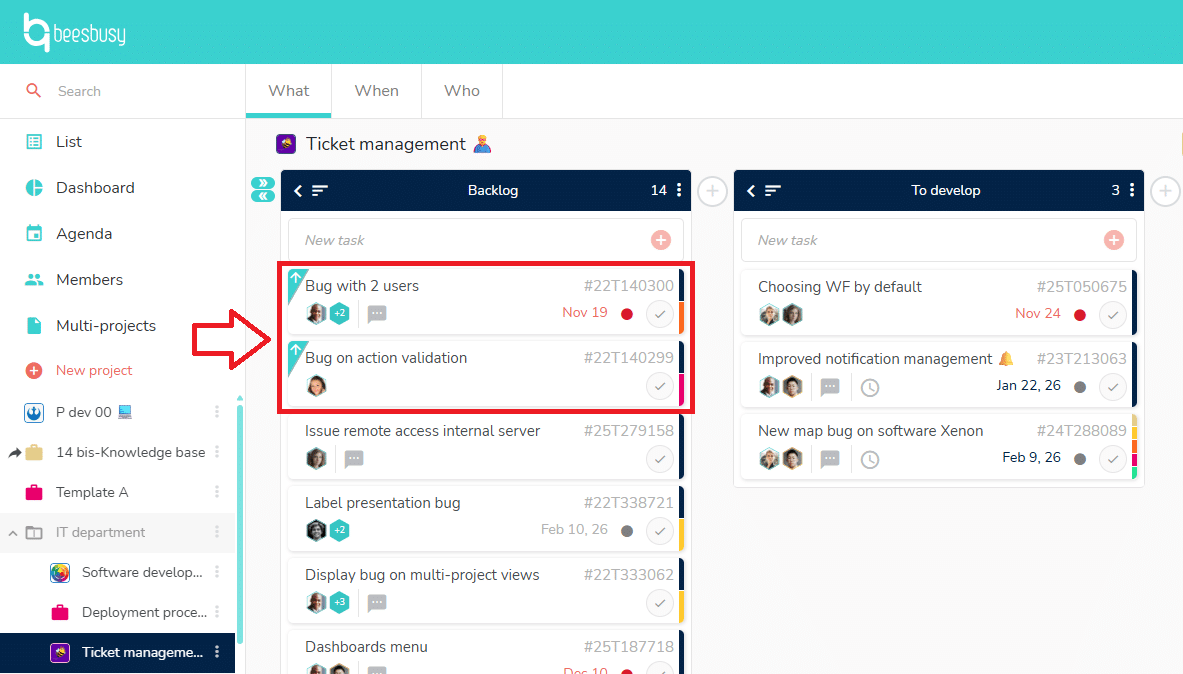
In other views like the When view, or the agenda, the priority tasks are visible thanks to the arrow, but they follow the usual rules of display of these views.
Good to know: the priority tasks can be used as a follow up criteria in the dashboard.