The additional fields
Additional fields are extra information fields that you can add to your projects, in order to better organize yourself and better inform other project members.
There are 2 types of additional fields:
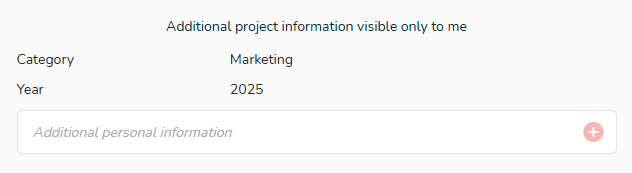
- Additional project information visible only to me.
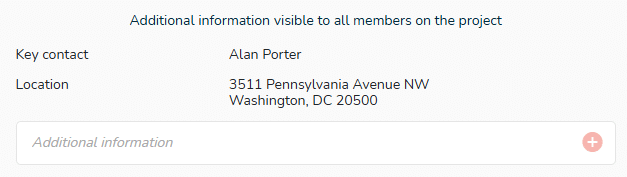
- Additional information visible to all members on the project.
How to create additional fields?
Project>  “Settings” icon in the top right corner of the window (below the user drop-down menu). Go to the “Project” section.
Enter the name of your field in the chosen type, and click on the “+” button to the right of the field or hit the “Enter” key on your keyboard to validate.
The field is then created and will be available in the corresponding section.
You can then complete the information corresponding to the field by clicking on “Not specified”. Text entry is limited to 100 characters. Click outside the area to validate.
Examples of fields you can create:
- Name of the project manager
- Useful contacts
- Important information
- Budget
- How to get started
- Priority level
When duplicating a project, if you have created and filled some additional fields, the fields and their content will be also duplicated.
The personal fields will be saved but not filled.