Log with the administrator account
Your invoices automatically appear in the billing area of your subscription administrator account.
Go to the subscription management area
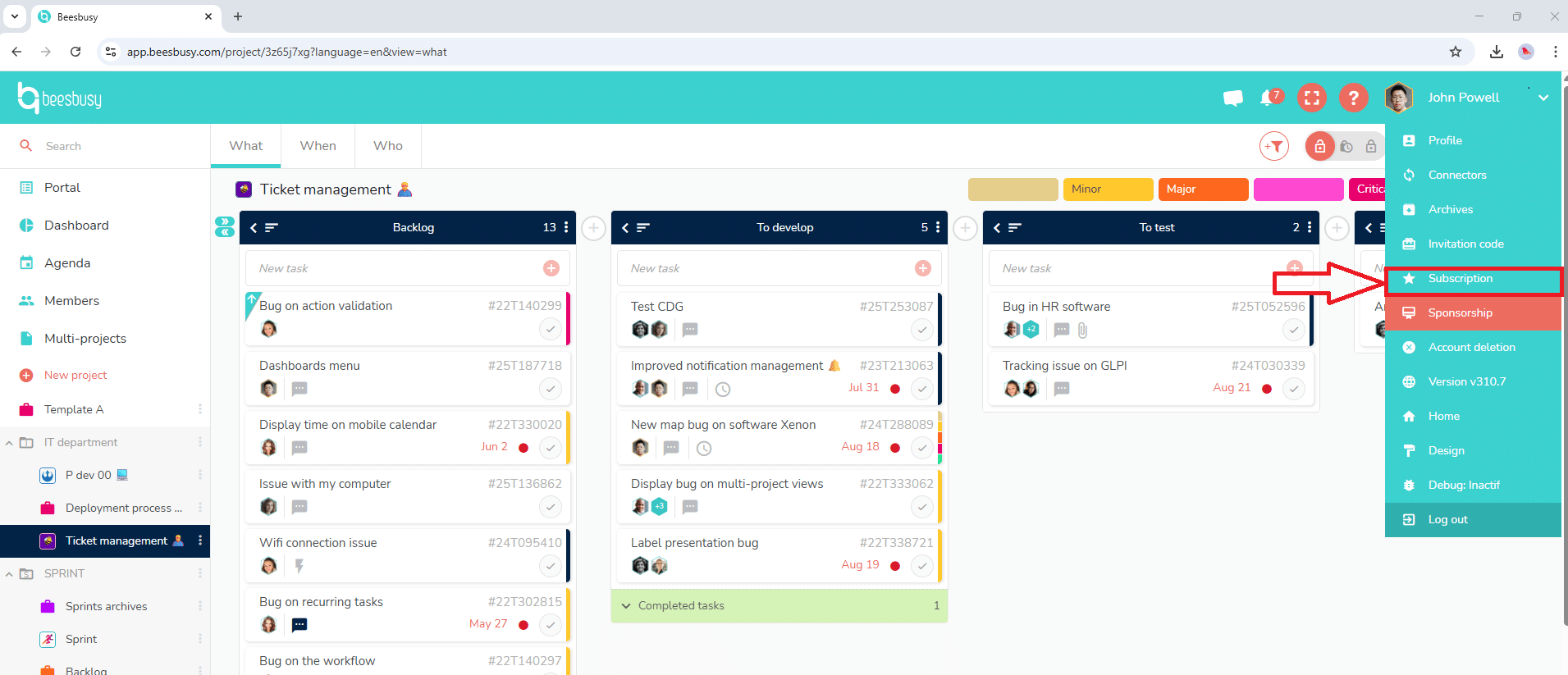
To access them, go to your subscription area via the drop-down menu in the top right corner:
Then, choose the “Billing” tab, “Invoices” section:
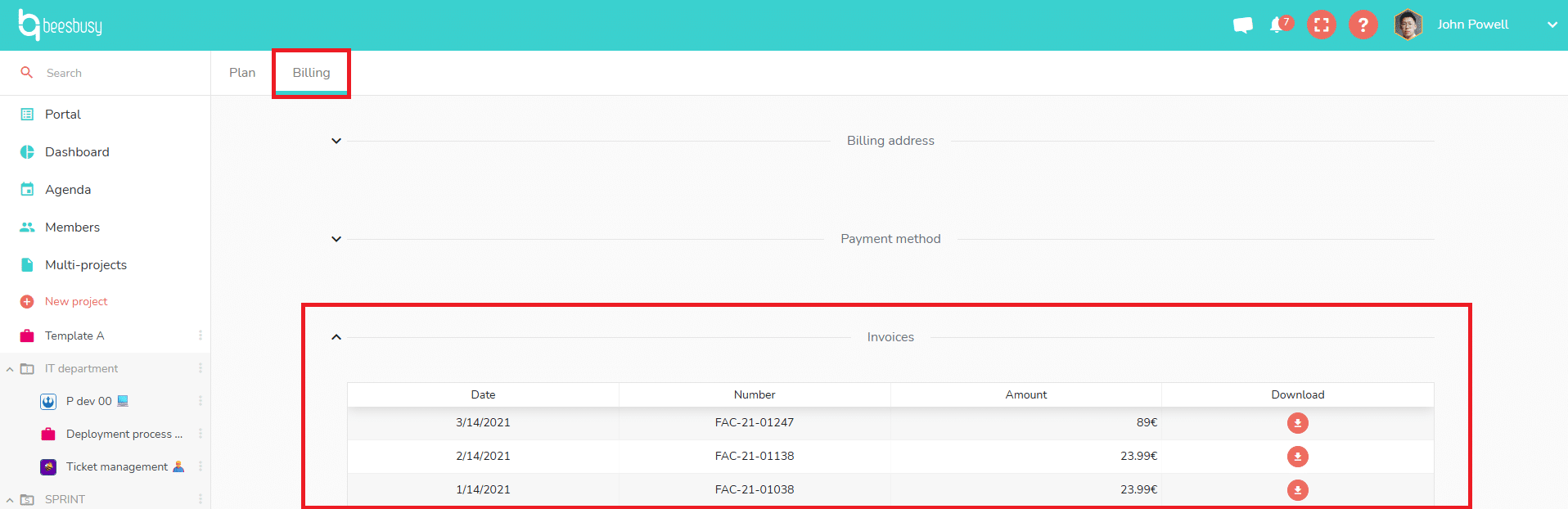
Invoices are available at any time and you can download them.