Plan your tasks with due dates
Have you entered all your tasks into Beesbusy? Are you sure you haven’t forgotten anything? But now you’re wondering what the upcoming schedule looks like?
Many of you ask yourselves this question before starting a long to-do list or project. Indeed, it’s easy to get discouraged when faced with an endless to-do list.
So, to avoid procrastination and regain motivation, there’s a solution: PLANNING.
The goal is to create a realistic schedule for your tasks. To do this, Beesbusy offers two planning methods:
Planning by date
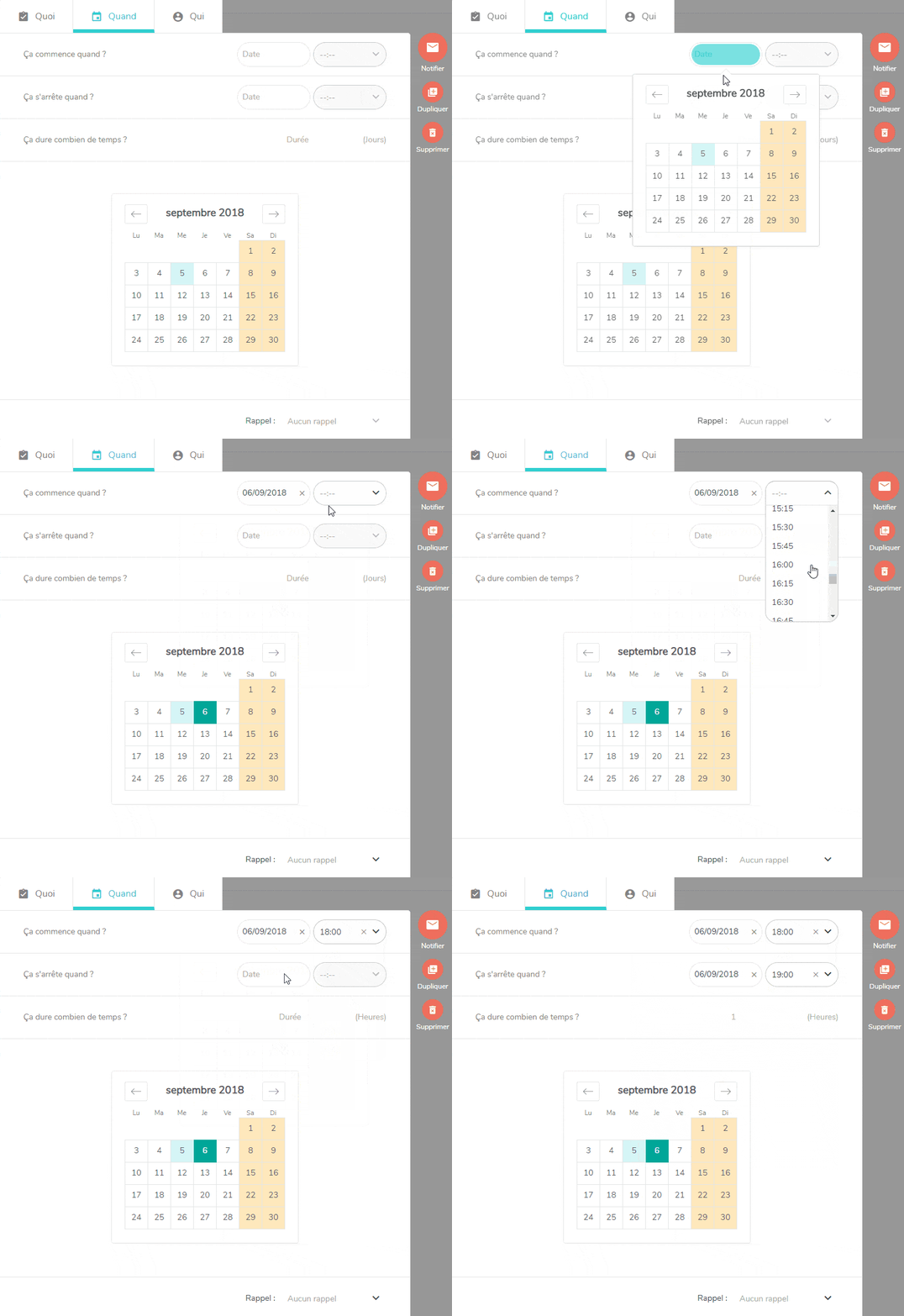
A deadline? A time to meet? With one click, add a start or end date to your task.
Go to the task details, in the “When” tab, and fill in the fields: “When does it start?” and “When does it end?”
If you want to be very precise (for a meeting or appointment, for example), you can also specify a start and end time.
Duration planning
Primarily used in project management, duration planning allows for the evaluation of the total duration of each task.
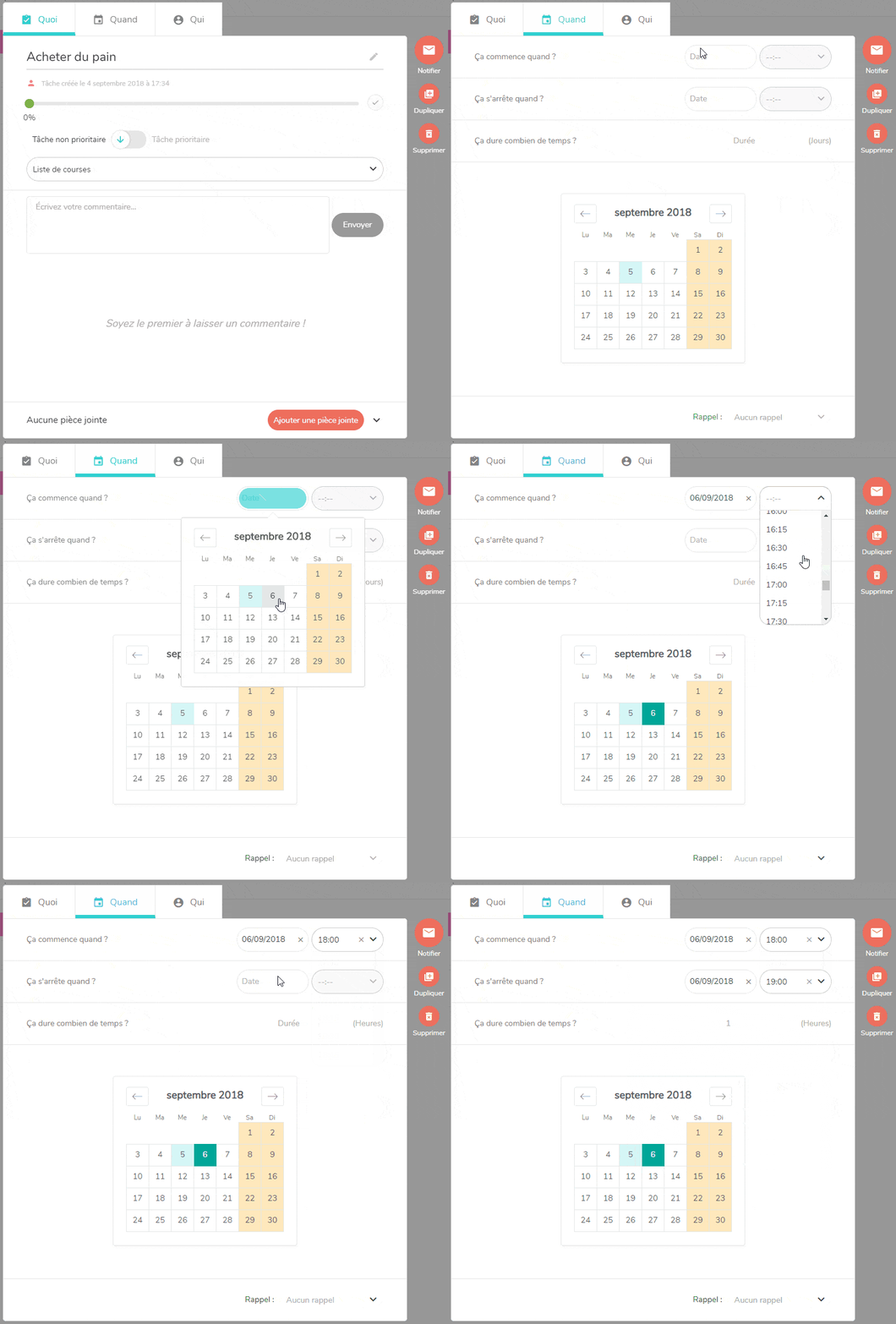
You can specify (in days or hours) the time required to complete this task using the “How long will it take?” field.
Once you’ve entered the duration, simply specify a start or end date, and your second date will be automatically calculated. This scheduling method is only available for professional projects.
Set reminders for your important tasks
Stay relaxed and never miss a deadline again with reminders.
Whether it’s a client meeting or your sister’s birthday, simply set a reminder in Beesbusy to remember everything.
With easy-to-configure reminders, you’ll be sure never to forget anything again.
How do I schedule a reminder for a task?
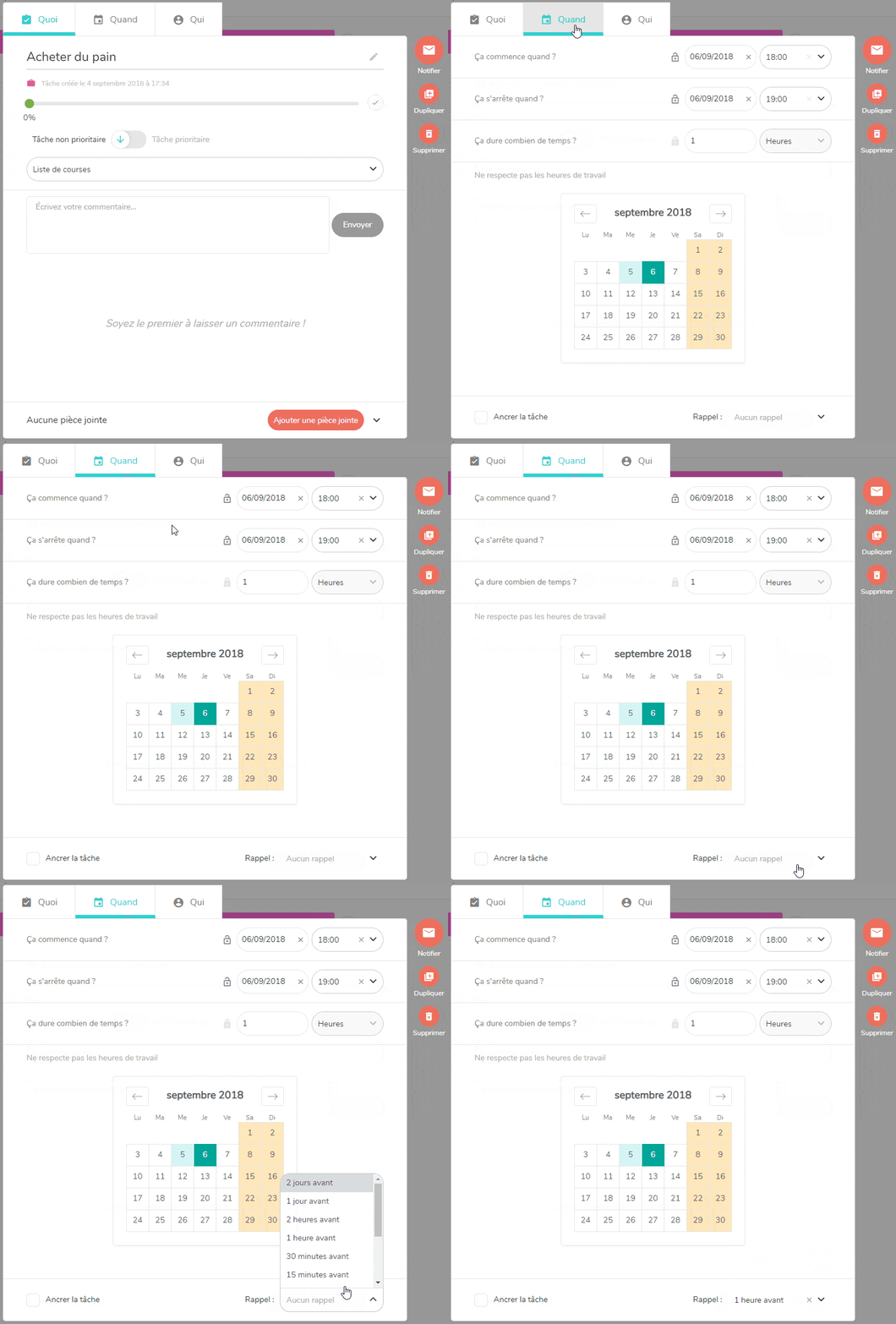
From the task detail, on the “When” tab, you can schedule a reminder according various criteria.
An email and a Beesbusy notification will then be sent to you to ensure you don’t forget the task.
Now you have no more excuses for forgetting your tasks! 😉