
Try all Beesbusy features for free
Finally, a tool that truly combines efficiency and simplicity.
To benefit from the free trial,
start by creating an account
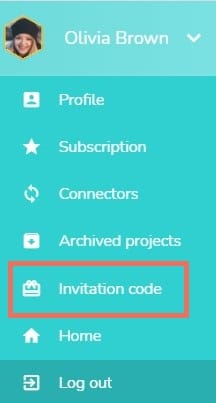
Step 1: Access your profile
- Access Beesbusy in your web browser.
- Click on your name in the top right corner to open the drop-down menu for your Beesbusy account.

Step 2: Add the promo code
- In the drop-down menu, click “Invitation Code” to open the pop-up window.
- In the “Invitation Code” field, type the code, and then click Send.
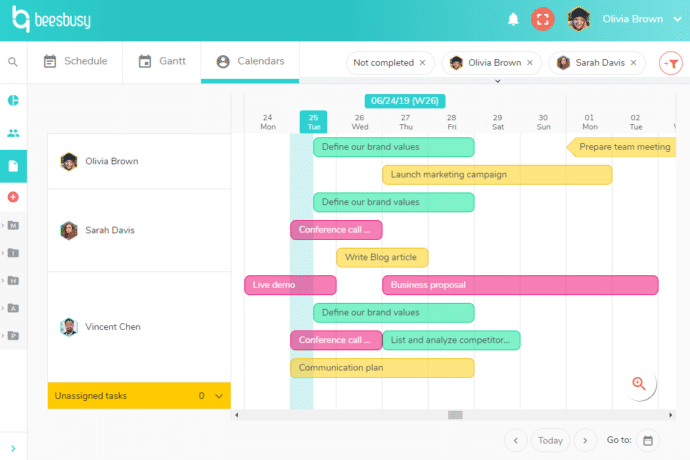
Step 3: Enjoy your free trial
To take advantage of all the advanced features without limits, use Beesbusy on your computer.
Organize everything with Beesbusy
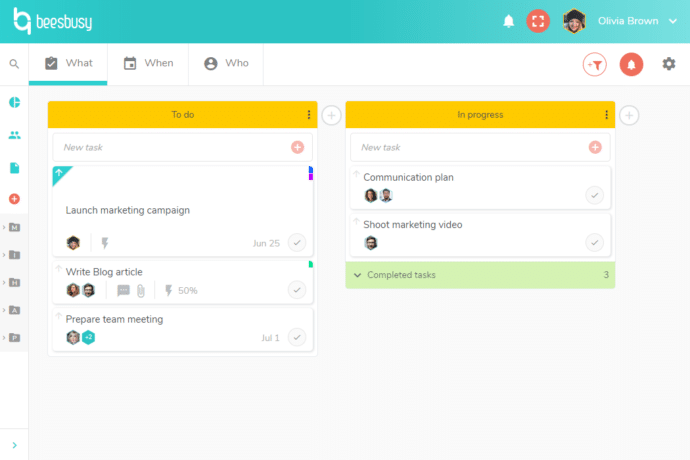
Manage your projects, tasks and activities
- Easily organize all the tasks and stages of your project, from design to completion.
- Create task lists to break your project down into multiple categories.
- You can centralize all the information and track your team’s progress.
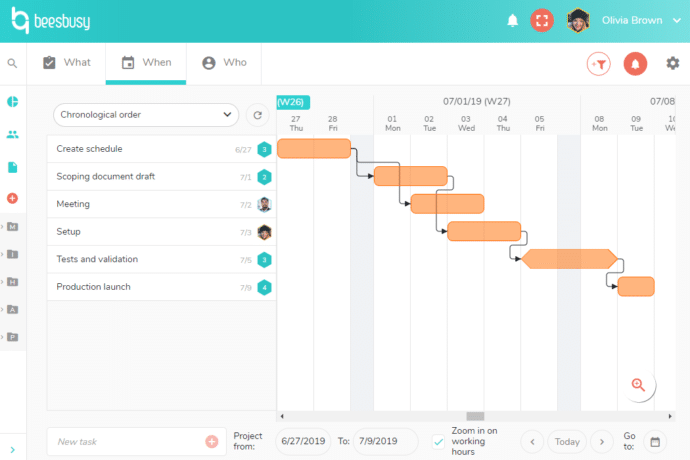
Visualize your schedules clearly
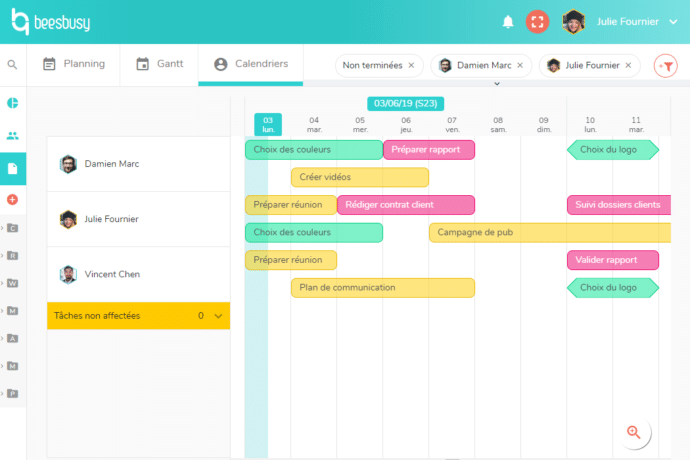
- Visually plan your project timeline to ensure you meet your deadlines.
- If something unexpected happens, Beesbusy adapts: you can adjust your entire schedule with a single click.
Teamwork made simple
- Access all your team schedules and optimize workload.
- Improve your team’s efficiency with a truly collaborative tool.


























More than 80,000 users rely on Beesbusy

Customization
You have specific needs, we can make custom developments.

White-label
Add your logo and choose the colors of your workspace.

Online help
With online help and support at your service, your questions will not go unanswered.

Privacy
Your data is used by Beesbusy only and is never resold.